Player Score Interface
PinAccess: User Stats & Achievements
This is one part of a series about PinAccess. On this page, we’ll explore the user’s scores and player achievements.
UX Design by Bradlee Ching
Player Score Interface
PinAccess: User Stats & Achievement
This is one part of a series about PinAccess. On this page, we’ll explore the user’s scores and player achievements.
UX Design by Bradlee Ching

Company
Turner Logic
A tech and gaming company based in San Antonio, Texas

Skills
User Experience Design (UX)
User Interface Design (UI)
Information Architecture
Prototyping

Tools
Adobe XD
Illustrator
Photoshop
Company
Turner Logic
A tech and gaming company based in San Antonio, Texas
Skills
User Experience Design (UX)
User Interface Design (UI)
Information Architecture
Prototyping
Tools
Adobe XD
Illustrator
Photoshop
About PinAccess
PinAccess is a mobile application designed to enhance the experience of playing traditional, physical pinball machines. Users can use the PinAccess app to pay for credits on a physical pinball machine. Using the digital payment system, players can easily add credits without using physical coins or tokens.
After playing a game on a pinball machine, users can upload their scores directly to their public profile within the PinAccess Community – a platform where users can create public profiles, share their scores, and interact with other pinball enthusiasts.
Porfolio Pages in this Series
- Dashboard
- Scores and User Achievements
- Pay to Play Interface (coming soon)
- Create Post Flow (coming soon)
- Search Feature (coming soon)
- Community (coming soon)
- Maintenance Mode (coming soon)
Highlights
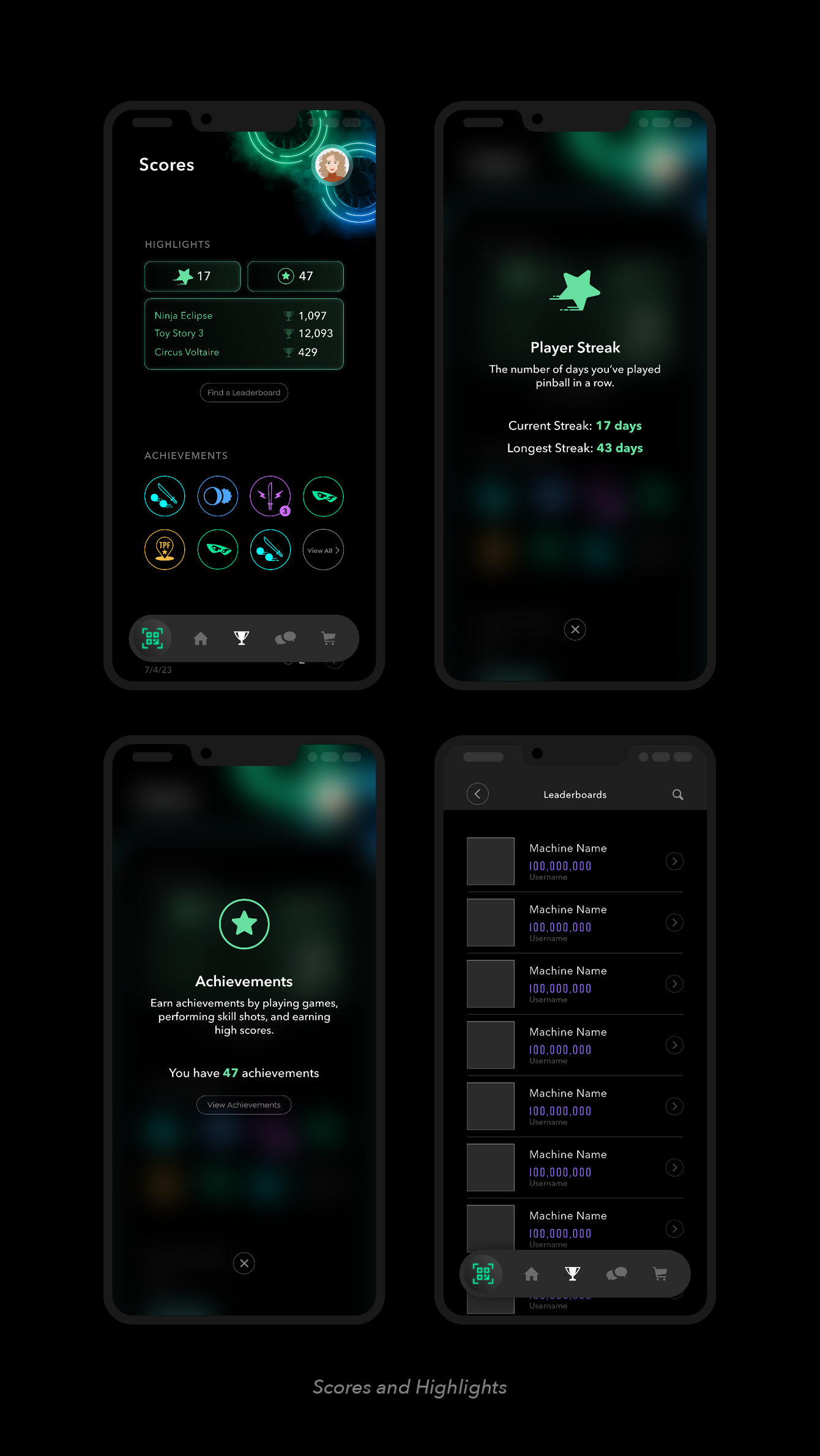
The user can navigate to the Scores page via the main navigation bar. Players that connect their PinAccess account to the machines they play will have their scores automatically uploaded to their account. Here they’ll see their player highlights: days played streak, number of achievements, and their three highest ranking games. Selecting a highlight module will activate an overlay with more information. Selecting “Find a leaderboard” will bring up the machine search feature. I designed this page to highlight the player’s accomplishments in one easy view, emphasizing the most important stats to the pinball player.

Leaderboard Search
Each pinball machine (also known as a game) has its own individual leaderboard. Users can search by keyword or filter the listed results. Because of the scrolling overlaid tab anchored to the bottom, multiple filters and sort-by options can be accommodated. Because of the flexibility of the design, the same template is able to be used in other searches throughout the app (social media search, game results, etc.).


Achievements
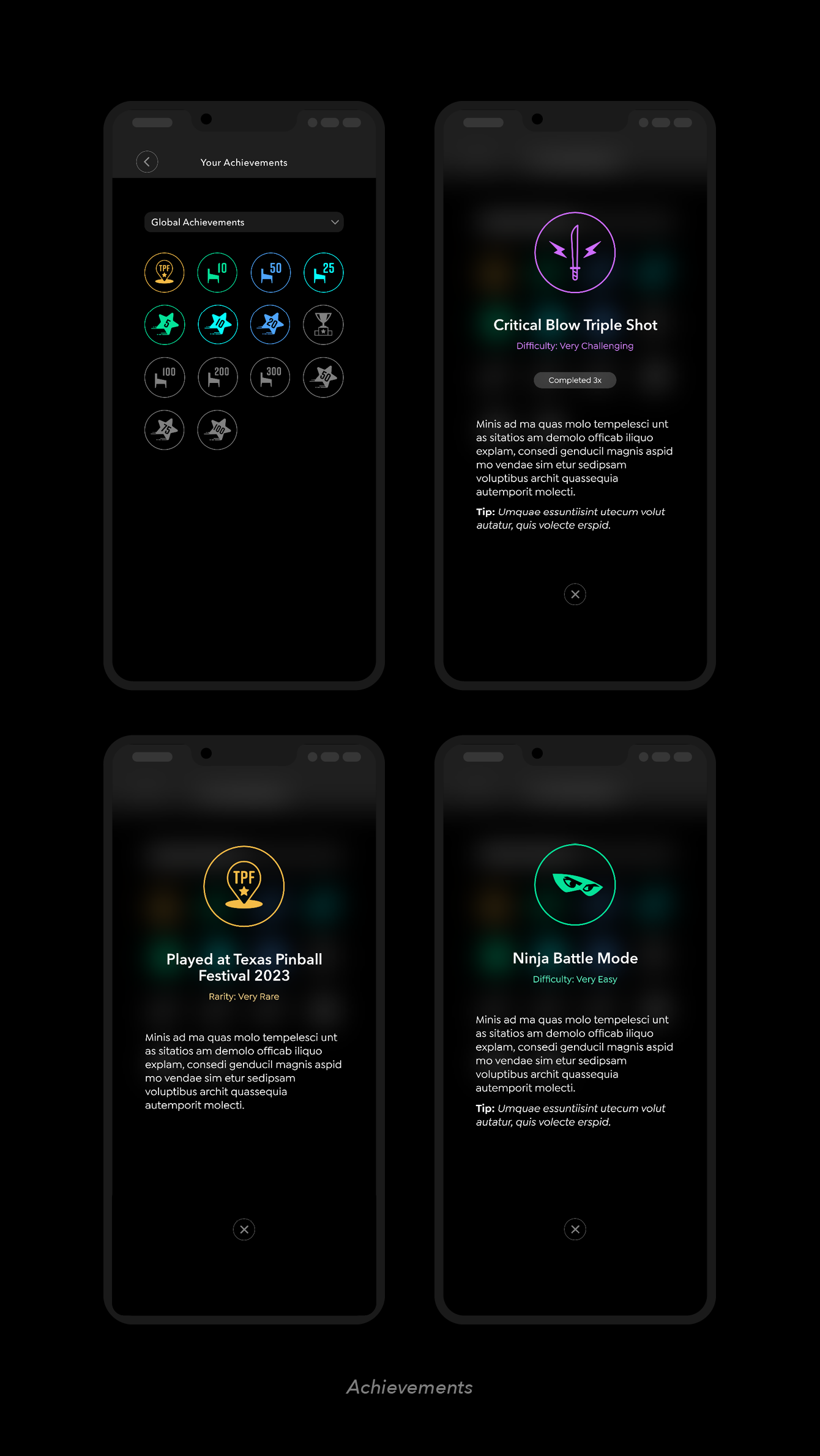
Player achievements are based on specific benchmarks and goals in the pinball community. Some achievements are global (example: “50 Machines Played”) while others are game specific (example: “Dark Sith Boss Defeated”). The player can filter their achievements as global or by a specific game.
Each achievement is ranked by rarity and has a color associated with it. Green represents the least rare and pink the most rare. Gold is used in special occasions, such as events or holding the top leaderboard ranking for a game.


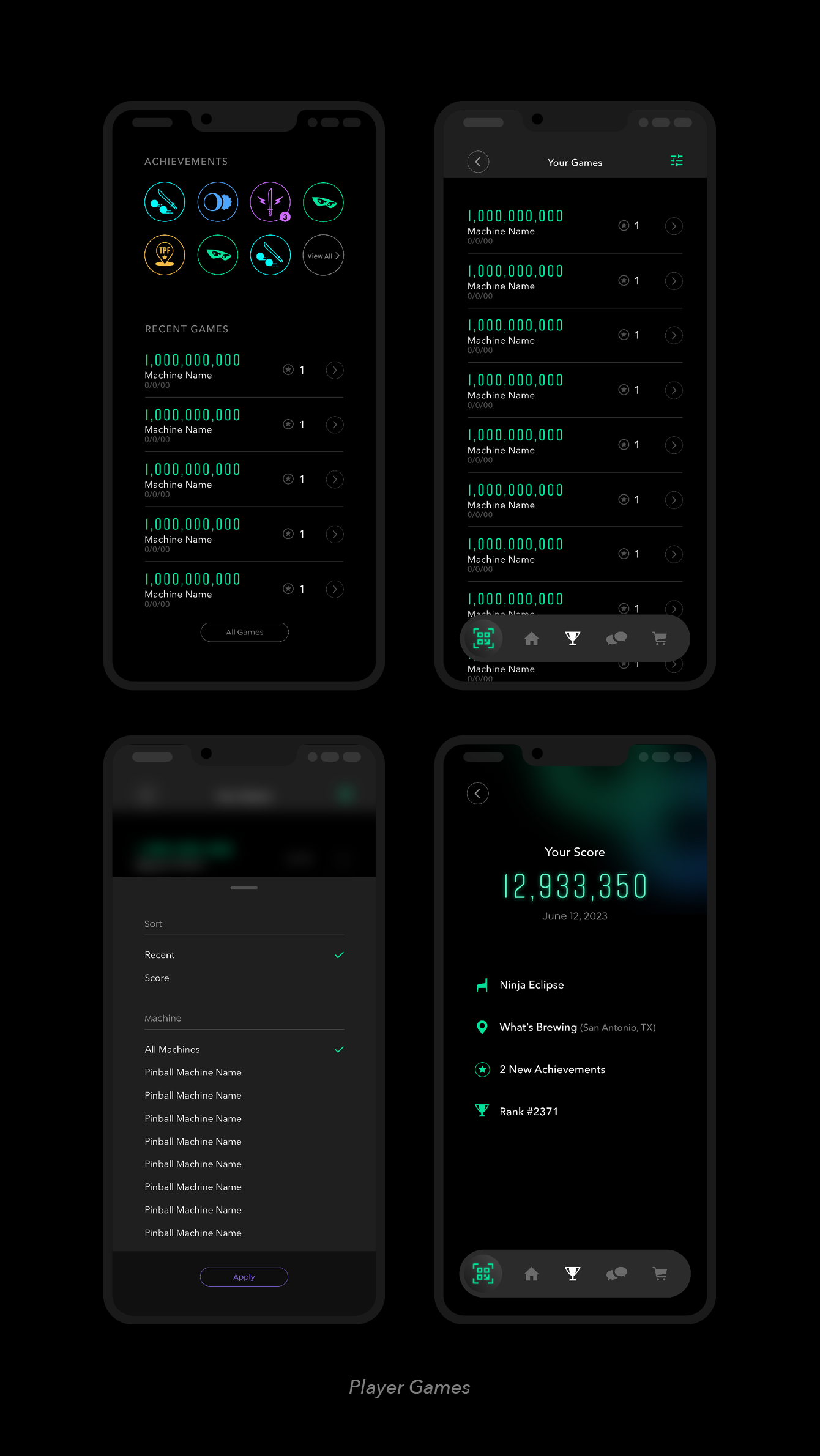
Player Games
Players can view all their games. They can order their list by most recent or highest score, and filter by game name. Each game card (listing) includes their score, machine played, date, and achievement gained. Selecting a game will show an overview of the game details, including leaderboard ranking and location played.